Somewhere in the last two weeks, a person who did everything right lost their website anyway.
Picture the profile, because it is probably yours. Auto-updates on. A security plugin running. No new plugins installed in months, and the ones already there came from a vendor with six figures of installs and a support desk that answers email. Then, in the first week of August, an attacker got write access to a cloud storage bucket that vendor used to serve a small promotional banner inside the admin dashboard. They poisoned the file sitting in that bucket. The site fetched it, the way it had fetched it every day for months, and the attacker walked in through the front door of an installation that had never made a single bad decision.
Between August 6 and August 14 the deal that solo site owners have operated under for twenty years broke in three separate places. Keep it updated and you will mostly be fine. That was the arrangement. It is worth being precise about how each piece failed, because they failed in different directions and only one of them is solved by patching faster.
The short answer, before the details
Installing a WordPress security update on time is still the single highest-value thing you can do with fifteen minutes. It is also no longer sufficient. Two of this month's three incidents would have reached a fully patched site. What changed is not the value of updating. What changed is that your attack surface now includes every remote endpoint your site quietly talks to when nobody is watching, and the version number on your dashboard says nothing at all about those.
The attack that never touched a file you downloaded
On August 7, Wordfence researchers noticed something odd happening on sites running plugins from BdThemes, a vendor whose catalog includes Element Pack Addons for Elementor, Prime Slider, Ultimate Post Kit, Pixel Gallery, Ultimate Store Kit, Live Copy Paste and Smart Admin Assistant. Element Pack alone carries more than 100,000 active installs. BdThemes advertises more than 350,000 across the range.
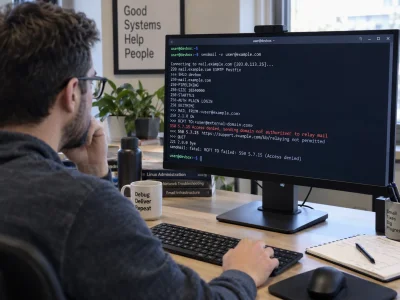
The mechanism was almost boring, which is what makes it worth understanding. The plugins share a library that pulls a JSON feed of promotional banners from a DigitalOcean Spaces bucket. Attackers reached the bucket. A parsing flaw introduced back in March meant the plugin executed script from that feed rather than merely displaying text from it. So the malicious code ran inside the browser of whoever was logged in as administrator, and it used that session to do what an administrator can do: create new admin accounts, drop PHP web shells, and phone home. The new accounts were hidden from the user list by tampering with the database queries that build it.
This is a WordPress supply chain attack in its purest form, and the detail that should stop you is in the disclosure itself. Wordfence found that "zero source code files were modified within the official WordPress.org repository." Nothing you downloaded was altered. A file-integrity scan would have come back clean. The plugins were pulled from WordPress.org on August 8, which is the correct response and also an admission that the repository was never where the danger lived.
If you run any BdThemes product, the practical move is not to update it. It is to go look at your user list, then look at it again through the database rather than the dashboard, because rogue administrator accounts created this way were built specifically to be invisible from the screen most people check.
A ten year old bug hiding in a picture
Six days later, WordPress shipped 7.0.4. The release fixed a single flaw, tracked as CVE-2026-65640, reported by the security team at pwn.ai, and the interesting part is the backport list. The patch was pushed all the way back through the 4.7 branch. WordPress 4.7 shipped in December 2016.
The bug worked like this. A file could be named as though it were a PNG while actually containing PostScript instructions. Delivered through an XML-RPC upload or extracted from MP3 cover art, both of which skip the usual upload checks, that file would reach ImageMagick, which would hand it to Ghostscript, which would run it. An author-level account was enough. The result was remote code execution on a site whose owner had done nothing wrong except allow contributors to post.
The fix changes the image editor to inspect what a file actually contains instead of trusting what it is called. Which raises the obvious question about the previous ten years. The release note is blunt for a WordPress announcement: "it is recommended that you update your sites immediately."
Take the point rather than the panic. This particular plugin vulnerability class was in core, not in some abandoned add-on, and it sat there through roughly forty releases. Being fully updated has always meant being current. It has never meant being safe, and August made the difference between those two words visible.
The month when the fix existed and the protection did not
The third failure is the one nobody will write a headline about, and it is the one that says the most about how this ecosystem actually works.
User Profile Builder, a registration plugin with more than 40,000 active installs, carried an authentication bypass rated 9.8 out of 10, tracked as CVE-2026-15826. The path is almost funny. An unauthenticated visitor registers with a username between 61 and 70 characters. WordPress rejects it and returns an error object. The plugin then runs that error object through a function that converts it to an integer, which produces the number 1. The autologin token gets bound to user ID 1. On most installations, user ID 1 is the administrator.
The researcher submitted it on July 14. The vendor patched on July 16, which is a genuinely fast turnaround and deserves saying. Free-tier firewall protection for everyone else did not arrive until August 14. For a month, the fix existed and the safety net was a paid product. That is not a scandal, exactly. Somebody has to fund the research. But it is a fact that belongs in your website maintenance plan, because it means the window between disclosure and your own protection is longer than you have been assuming, and the only thing that closes it is you updating the plugin yourself.
What a one person operation should actually change
Write down what your site talks to
Most site owners can name their plugins. Almost none can name the remote servers those plugins contact. Licence checks, banner feeds, font loaders, telemetry, template libraries, update endpoints that are not WordPress.org. Each one is a trust relationship you did not know you had. Spend an hour with your browser's network tab open on the admin dashboard and write the list. A serious plugin audit in 2026 is an audit of connections, not just of version numbers.
Watch the user table
Set a reminder to check administrator accounts monthly, and check them somewhere the dashboard cannot lie to you, through your host's database tool or a query. Add a rule that any new admin account triggers an email to you. It costs nothing and it is the one signal that catches almost every serious compromise, whatever route it took to get in.
Test the restore, not the backup
A site backup strategy that has never been restored is a hope, not a plan. Restore to a staging copy once this quarter. Also check how far back your backups reach, because the BdThemes campaign may have begun as early as late June, and a seven day retention window would have quietly overwritten every clean copy before anyone knew to look.
Take the plugin count seriously
Every add-on is another vendor, another bucket, another parser. We have argued before that the accumulated plugin stack is its own kind of technical debt, and the August incidents make that concrete rather than theoretical. If a plugin does something you could live without, this is the month to live without it.
What comes next, and why it does not close the loop
The WordPress 7.1 release lands on August 19 at WordCamp US in Phoenix, carrying more than 145 fixes since its final beta, responsive block styles configured through theme.json, a public SVG icon API and client-side media processing. It is a substantial release, and it arrives twelve days after 7.0.4, which is its own small comment on the pace of things. Earlier this month WordPress also shipped 7.0.3, which fixed eleven vulnerabilities at once, including a cross-site scripting flaw on the login screen that required no account at all.
None of that changes the underlying situation. The core team can only patch core. It cannot patch the storage bucket that a third party vendor left writable, and it certainly cannot patch the gap between a vendor's fix and your installation of it.
We wrote in the spring about what happened when WordPress put AI into core and then shipped an emergency patch, and the through-line from that story to this one is not that the software is getting worse. It is that the number of things running inside your admin screen keeps growing, and the mental model most of us carry, that a site is a folder of files we control, stopped being accurate some time ago.
Update on Wednesday. Then go read your user list.